
INTELLOPE / MANAGED SERVICES

IT Support & Management.
Support for every working day.

A complete external IT department or expert support for your local team. Monitoring, helpdesk, maintenance and an IT roadmap give each issue an owner and a clear route to resolution.

Discuss your environment ↗
Professionals collaborating around technology
Illustrative image · Unsplash
IT SUPPORT & MANAGEMENT

Two models. One partner.

No internal IT department? We can manage IT for you. Already have a technician or a team? We work alongside them, supporting their role.

01 / For businesses without internal IT

Full IT outsourcing

One contact for users, infrastructure and suppliers. Together we agree ownership, priorities and ongoing management.

What the model covers

  • Helpdesk and user support
  • Devices, updates, identities and Microsoft 365
  • Networks, servers, backups and monitoring
  • Supplier coordination and an IT roadmap

The benefits for you

  • An IT department without building one from scratch
  • A consistent view of costs, priorities and ownership
  • Less fragmentation across fixes and suppliers
Let’s discuss this model ↗
02 / For businesses with an IT technician or team

Co-managed IT

Your IT team retains its knowledge and control. We add specialist expertise, tools and capacity where needed.

What the model covers

  • Technical escalation and complex troubleshooting
  • Support for migrations, projects and security
  • Shared monitoring and tools with agreed access
  • Documentation, mentoring and hands-on support

The benefits for you

  • More expertise without immediately growing headcount
  • An experienced partner for difficult decisions and problems
  • Flexibility for projects and workload peaks
Let’s discuss this model ↗
OBSERVE / DIAGNOSE / ACT

See the signals.
Understand the context.

Monitoring tracks agreed systems and flags changes. A technician reviews impact, related events and next steps. An alert starts diagnosis; it does not prove the issue is fixed.

Monitoring
Alert
Resolution
Review

Availability and performance

Servers, services, network devices, disk capacity and workloads within the agreed scope.

Devices and updates

Inventory, agent health, patches and planned maintenance windows.

Backup and recovery

Job results, failure notifications and agreed restore exercises.

Context and escalation

Related events, user impact and handover to a specialist or supplier.

Automated checks can run continuously. Technician coverage, on-call service, response targets and interventions are agreed in the service plan.

ONE CASE / CLEAR OWNERSHIP

One case.
Clear communication.

01

Support portal

A tracked request with ownership and history. Follow updates and the resolution process.

Support portal ↗
02

Support email

Describe the problem, affected system and business impact. Do not send passwords or one-time codes.

[email protected] ↗
03

Urgent contact

Telephone and any WhatsApp channel are agreed during onboarding. Important steps are then recorded against the case.

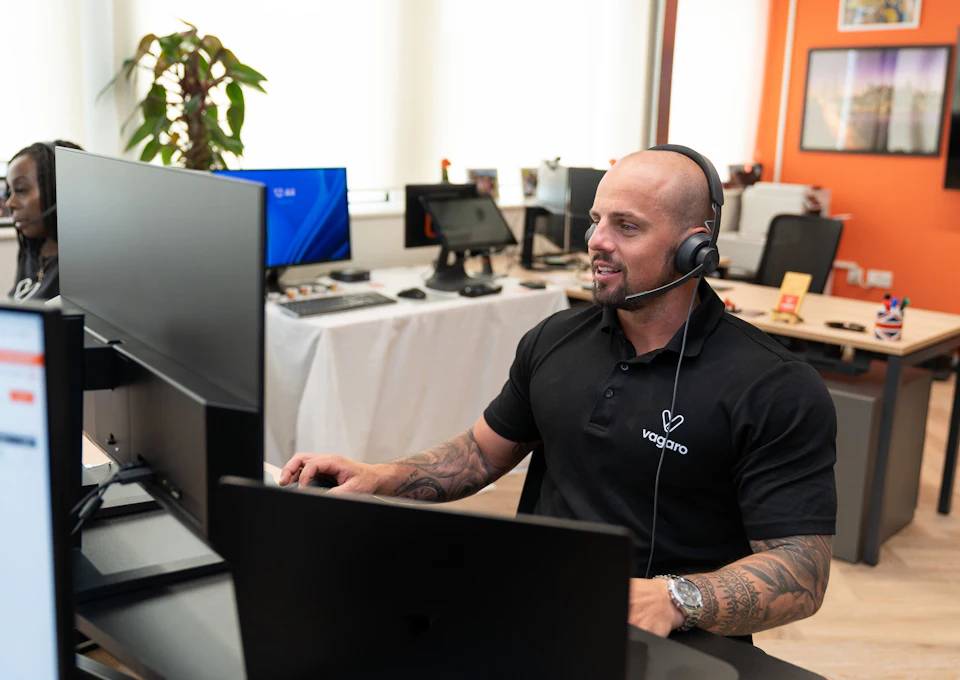
Support professional using a headset at a computer
Illustrative photograph · Vagaro / Unsplash
PLAN / ACT / VERIFY

From the first report
to a verified resolution.

  1. 01

    Capture

    A user request or monitoring alert.

  2. 02

    Prioritise

    What is affected, how many people are blocked and whether a workaround exists.

  3. 03

    Diagnose

    Authorised remote access, logs and related system checks.

  4. 04

    Restore

    A fix or a safe temporary workaround as appropriate.

  5. 05

    Escalate if needed

    Engage local IT, specialists, vendors or an onsite visit.

  6. 06

    Verify and close

    Confirm operation, record the work and recommend prevention.

A faster route to help.
Clear expectations.

Remote support can start diagnosis without waiting for travel. We aim to resolve common software problems within a session; hardware, connectivity or third-party dependencies may need further intervention.

01

First response

Take ownership, assess impact and begin communication.

02

Service restoration

People can work again, while the underlying cause may still be investigated.

03

Full resolution

Address the cause, verify the result and document the change.

P1 / Critical outage

A key service is unavailable and operations are seriously blocked.

Priority escalation through the agreed incident arrangements.

P2 / Degraded service

Some work is restricted or a workaround is available.

Diagnosis and an intervention plan based on impact.

P3 / Routine request

A change, setup, question or planned maintenance task.

An agreed schedule and verification of the outcome.

Response targets, out-of-hours coverage and recovery objectives are defined in the SLA. Response time and full resolution time are different measures.

IT management continues
between incidents.

01

People and workplaces

Devices, applications, onboarding, permissions and asset records.

02

Microsoft 365 and identities

Entra ID, Intune, access and configuration with the required licences.

03

Maintenance and improvement

Updates, documentation, risk reviews and a plan for what comes next.

CLEAR OWNERSHIP

Clear roles. Coordinated work.

01

Agree the scope

Systems, users, services and work retained by your internal team.

02

Share a working method

Tickets, priorities, authorised access and escalation routes.

03

Review together

Work completed, risks, documentation and next improvements.

Useful questions

Do we need to replace our IT technician?

No. In a co-managed model your IT person can remain the first contact. We provide escalation, tools and specialist support.

Can you also work onsite?

Yes, subject to location, availability and the service agreement. We first assess whether remote work can resolve the issue or a physical visit is needed.

Is everything monitored automatically?

We monitor agreed systems and indicators. Scope, access, alerts and responsibilities are defined during onboarding.

How do we know what you did?

Progress and outcomes are recorded against the request. Managed services can include regular reviews of system condition, risks and next steps.

Connected expertise

LET’S BUILD WHAT’S NEXT

A specific challenge? Let’s start there.

We connect expertise, people and technology around your project.

Tell us about your project ↗
CONTACT / INTELLOPE

Tell us what you need

Contact us about a project, a question or an IT issue.

Do not send passwords, access codes or sensitive data.

You can also email [email protected].

We use these details to respond to your request. Privacy notice.